

Google has begun rolling out Google Play Services v26.35, a system-level update that introduces a meaningful upgrade for Google Wallet users. The most prominent addition is the ability to add physical transit cards and their existing balances to the Google Wallet app using NFC (Near Field Communication). This means that frequent commuters can soon leave their plastic transit cards at home and instead rely on an NFC-compatible Android smartphone to tap through transit gates and access public transportation.
The update is part of Google's broader effort to make Android devices more central to daily life, and it arrives alongside several developer-oriented changes inside Google Play Services. While the transit card feature is the headliner, the release also includes improvements to account management, location sharing, and the overall Wallet interface. At the same time, Google is rolling out a separate update to the Google Play Store, version 53.1, which brings user-facing interface tweaks and quality-of-life enhancements to the app marketplace.
How the NFC Transit Card Feature Works
Google Wallet has long supported digital transit passes and tickets, but the ability to add a physical transit card to the app is a distinct step forward. Historically, transit agencies issued proprietary cards such as London's Oyster card, New York's MetroCard, or San Francisco's Clipper card, each with its own memory chip and contactless interface. With this update, Android users can tap their physical card against the back of their NFC-equipped phone to read the card's unique identifier and, in some cases, its stored monetary value or pass information.
Once the card is successfully read by the phone, the Google Wallet app will store the card's data and make it available for contactless payments or validations. The user can then hold their phone near a transit reader to pay a fare or validate a pass, just as they would with the original card. This is particularly useful for transit systems that do not yet offer direct mobile ticketing integration with Google Wallet, because it provides an intermediate solution: the phone acts as a virtual proxy for the physical card.
It is important to note that the feature relies entirely on NFC hardware. As a result, phones without an NFC chip will not be able to scan or store physical transit cards. The update also does not imply that every transit card in the world is supported; the underlying transit agency must use cards that are compatible with NFC reading protocols and the Google Wallet backend. Certain cards, especially older magnetic stripe cards, will not work with this feature.
The New "Add a Card" Success Screen
Alongside the core NFC functionality, Google has redesigned the "Add a card" success screen inside Google Wallet. The new interface is meant to provide clearer feedback when a card is successfully added. Users will see a more polished confirmation screen that details the type of card added and any relevant balance or pass information. The improved UI is part of Google's ongoing commitment to making Wallet more intuitive and user-friendly, especially for people who may not be tech-savvy.
The success screen is more than just a visual change; it also serves an educational purpose. For users who are new to the concept of virtual transit cards, the new screen can highlight how to use the card, where it will be accepted, and what to do if the phone's battery runs out. This kind of guidance reduces friction during the onboarding process and encourages adoption among a broader demographic.
Other Changes in Google Play Services v26.35
Google Play Services is the backbone of many Android features, and v26.35 includes several other modifications that may not be visible to end users but are significant for developers and platform stability.
Account Management Enhancements
For devices running Wear OS and phones, Google is improving the Supervision experience. Supervision is most commonly used by parents to manage their children's accounts and devices, so these changes likely offer better controls and monitoring capabilities. Additionally, Google is introducing a new infrastructure within the Kids Auth Module to manage and display regulatory compliance notices on Android. This is aimed at making compliance with child safety regulations more straightforward and transparent, and it may lead to more region-specific notifications for parents and guardians.
Location and Context Improvements
In the Location and Context category, Google is adding safety status information to shared locations in the location sharing API. This means that when a user shares their location with a friend or family member through a supported app, the recipient may see additional safety-related details, such as whether the device has sufficient battery, whether the user is stationary for a prolonged period, or whether an emergency has been detected. This is a subtle but potentially life-saving feature, especially in scenarios where someone is traveling alone or in an unfamiliar area.
Google Play Store v53.1: UI Tweaks and Navigation Bar
Google is not stopping with Play Services. The company is also rolling out a new version of the Google Play Store, v53.1, which brings several user-visible refinements. The most immediately noticeable change is a new navigation bar. This bar is designed to let users explore more of their interests directly from Play home pages. Instead of drilling down into multiple submenus, users will be able to switch between different content categories and curated recommendations with a single tap.
In addition to the navigation bar, the Play Store is enhancing the "Similar Apps" section found on app details pages. When browsing similar apps, users will now see a short description that highlights a key feature of each recommended app. This is a useful addition because previously, the section often displayed just an icon, title, and star rating, leaving users to guess why an app was being suggested. With a brief explanatory snippet, users can make more informed decisions without clicking into every single app.
Better Device Recommendations
The Play Store update also improves how app recommendations appear across multiple devices. Users who have several Android devices—such as a phone, a tablet, a TV, or a Wear OS watch—will now be able to see which of those devices already have a particular app installed when browsing recommendations in the "other devices" sub-navigation. This visibility prevents users from accidentally purchasing or installing an app on a device that already has it, and it simplifies the process of syncing apps across an entire fleet of Android devices.
Expansion of Mobile Transit Payments
This move by Google is part of a larger trend in the mobile payments industry. Both Apple and Samsung have offered transit card support in their respective wallets for years, but the implementations have varied. Apple Pay Express Transit, for example, allows users to pay for transit without even waking their iPhone or Apple Watch. Samsung Pay has similarly supported transit cards in certain markets. With this new NFC-based physical card import feature, Google is positioning Wallet as a more flexible option, especially for users who rely on smaller or regional transit agencies that have not yet struck formal partnership deals with Google.
By allowing users to scan their existing physical transit card, Google bypasses the need for the transit agency to create a dedicated mobile app or to integrate with a specific digital ticketing standard. This could be particularly valuable for tourists who receive a temporary transit card upon arrival and would prefer not to carry it around, or for commuters who want to keep all their transit passes in one digital space.
Compatibility and Requirements
To use the new feature, an Android phone must have an NFC chip. Nearly all modern Android phones include NFC, but budget devices sometimes omit it. Users can quickly check if their phone supports NFC by going to Settings and searching for "NFC" or "Contactless payments." If the option is present, the device likely supports the functionality. If not, the physical transit card cannot be scanned, and the feature will not appear in Google Wallet settings.
Additionally, the physical transit card itself must be NFC-enabled. Most modern contactless transit cards are, but older cards with only magnetic stripes are not. Magnetic stripe cards do not contain an embedded chip and cannot be read by NFC scanners. In those cases, users will still need to carry the physical card or rely on any separate mobile ticketing options offered by the transit agency.
Google has not specified which transit agencies or card types are supported at launch. Users are advised to try adding their card through the Google Wallet app after installing Google Play Services v26.35. The feature may not work for all cards immediately, but Google is likely to expand compatibility over time based on user feedback and partnerships with transit authorities.
Security and Privacy Considerations
Adding a physical transit card to Google Wallet raises valid security and privacy questions. Google has emphasized that Wallet stores card data securely in the device's secure element or through cloud-based tokenization, depending on the type of card and the implementation. For transit cards, the data is typically encrypted and tied to the device's unique hardware credentials. Even if the phone is lost or stolen, the card data remains protected by the device's lock screen and encryption.
Users should be aware that a lost phone could still be used to pay for transit if someone gains access to the device. However, this risk is not unlike losing a physical wallet with a transit card inside. The advantage is that a phone can be remotely locked or wiped through Google Find My Device, which can prevent unauthorized use of the stored transit pass.
How to Update to the Latest Google Play Services
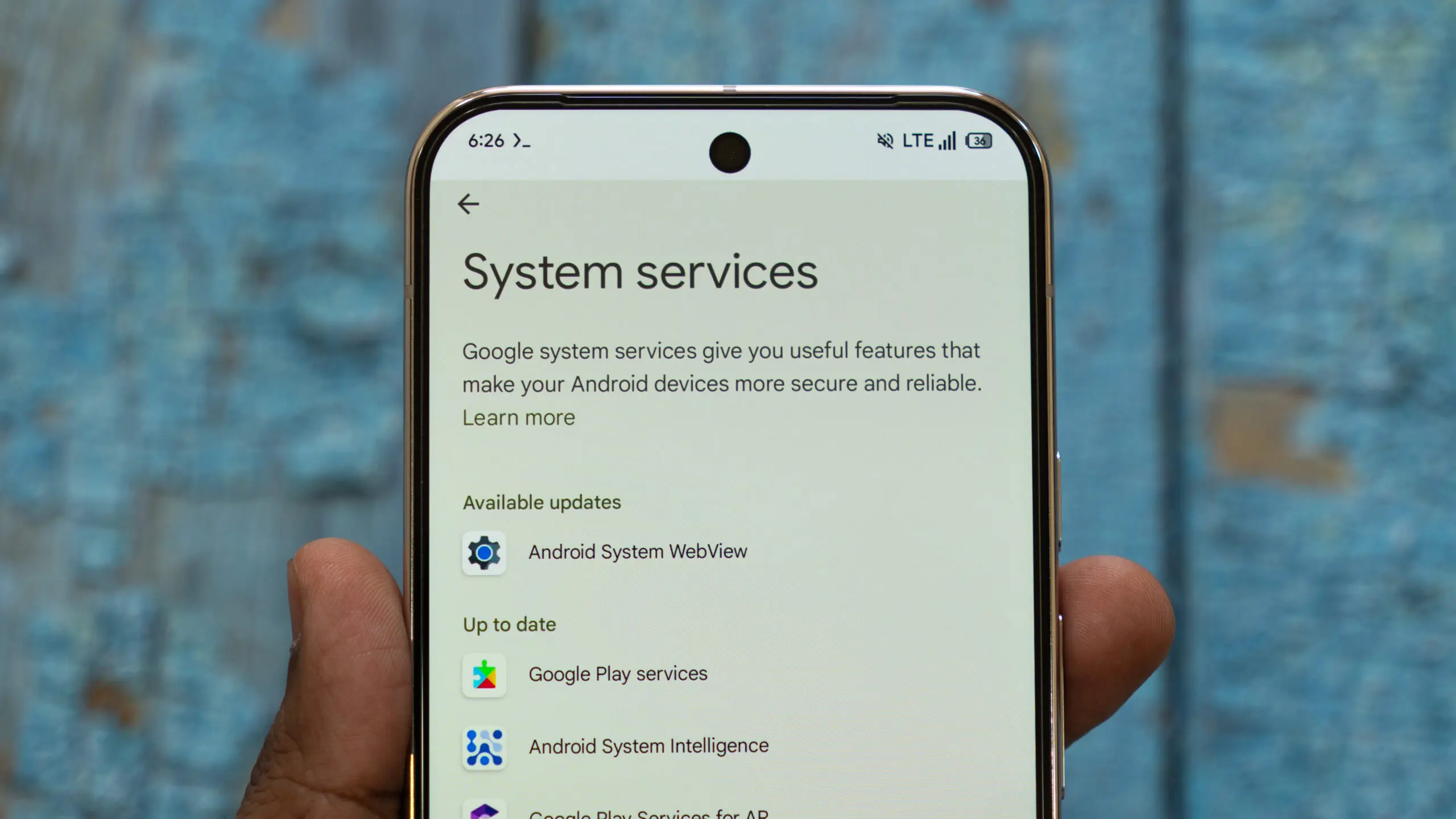
Google Play Services typically updates in the background without user intervention, but users who want to check their current version or manually update can do so through the Android system settings. To check for the latest version, navigate to Settings > Google Settings > All Services > Privacy and Security > System Services.
On this screen, Android will display the currently installed version of Google Play Services and allow you to see if a newer version is available. Users can also enable automatic updates, which is the default behavior on most Android devices. Automatic updates ensure that the phone stays up to date with the latest security fixes and platform improvements without the need for constant manual checks.
For the Google Play Store update, the process is slightly different. The Play Store itself is updated over the air, and users can usually check for an update by going to Play Store Settings > About and tapping "Update Play Store." Alternatively, users can sideload the new Play Store APK from a trusted source, but this is not recommended unless the user knows exactly what they are doing.
What This Means for the Future of Android Payments
Google's incremental approach to updating Google Wallet and Play Services suggests a broader strategy of making Android a more unified platform. By adding NFC import for physical transit cards, Google is acknowledging that not all transit systems are ready for native mobile integration. This pragmatic bridge allows users to experience the convenience of contactless payment through their phones while the underlying infrastructure catches up.
The Play Store UI changes may seem unrelated, but they are all part of the same user-experience drive. A cleaner navigation bar and more informative recommendation descriptions reduce friction in discovering and managing apps, which in turn keeps users within the Android ecosystem. When these improvements are combined with the Wallet update, it becomes clear that Google is iterating on both the functional and aesthetic layers of its software stack.
Over coming weeks, as Google Play Services v26.35 and Play Store v53.1 roll out to more devices, users can expect to see the transit card feature appear with increasing frequency. As with most Google updates, availability will be staggered to ensure stability, so some users may see the new features earlier than others. The update is distributed through Google's system update channels, meaning that most users will not need to take any manual action to receive it beyond confirming that automatic updates are enabled.
Source:Android Authority News