

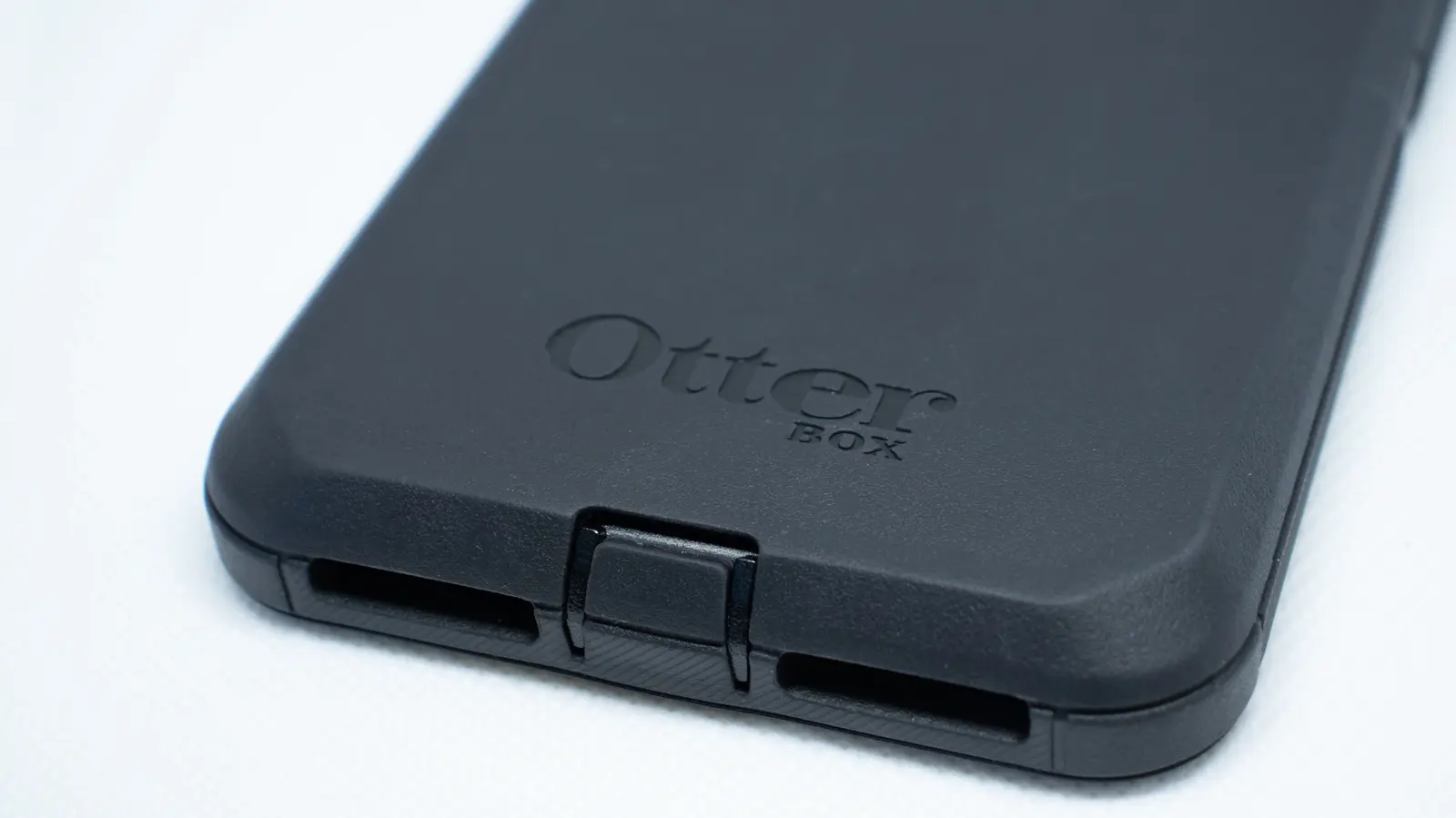
Smartphone prices have climbed sharply in recent years, driven by premium displays, advanced camera systems, and the growing use of glass and metal materials. Ironically, the more sophisticated and expensive a phone becomes, the easier it can be to damage in an everyday drop. With screen replacements and back-glass repairs costing hundreds of dollars, a protective case is no longer just an accessory; it is a practical investment. OtterBox, a brand that has been producing cases since 1998, has become one of the most recognized names in this category, especially for users who want heavy-duty protection.
OtterBox initially built its reputation on rugged, durable cases designed for outdoor enthusiasts, construction workers, and anyone who spends time in demanding environments. Over time, the company expanded its lineup to include slim, stylish cases as well, allowing everyday phone owners to benefit from its protective technology. Despite the brand's strong reputation, manufacturing defects can still occur. That is why OtterBox provides a limited warranty on its cases and accessories. Understanding exactly how long that warranty lasts, what it covers, and how to make a successful claim can save you money and frustration if a product fails before it should.
How long is the OtterBox warranty period?
According to OtterBox, every case it sells comes with a limited warranty that covers defects in materials and workmanship under normal use. For most protective cases, the warranty period is three years from the date of purchase or delivery. That means if you buy a case for a new phone and it cracks, peels, or stops fitting correctly due to a manufacturing issue within those three years, you may be entitled to a remedy.
However, not all OtterBox products receive the same level of coverage. The company makes a clear distinction between protective cases and other mobile accessories. Screen protectors, charging pads, cables, and other accessories that are not protective cases have a shorter warranty period of two years. In addition, specialty products and limited-edition releases are only covered for one year. These shortened periods matter because consumers often assume that every product in a brand's catalog has the same warranty. Before filing a claim, check which category your product falls into so you know whether you are still within the coverage window.
The warranty period begins on the day you buy the product or, if you order online, on the day it is delivered to your door. That is important for people who purchase OtterBox products as gifts or who buy them in bulk. The clock starts when the customer receives the item, not when the product was manufactured. This is why keeping a receipt or order confirmation is vital. Without proof of purchase, OtterBox may use the product's serial number or manufacturing date to estimate the start of the warranty period, which could reduce the amount of time you have left to file a claim.
What does the OtterBox warranty cover?
OtterBox's limited warranty is not a comprehensive protection plan. It does not cover accidental damage, drops, water damage, theft, or normal wear and tear. Instead, it specifically covers defects that arise from the manufacturing process, the materials used to make the product, or workmanship. For example, if your case arrives with a cracked corner, a misaligned cutout, or a defective button cover that falls off after a few days of normal use, that would likely be considered a manufacturing defect.
The phrase "under normal use" is central to the warranty. If a case has been subjected to abuse, extreme conditions, or modifications made by the user, OtterBox may deny the claim. Common reasons for denial include damage from removing the case incorrectly, exposure to chemicals, or using the case with a phone model it was not designed for. It is also important to understand that cosmetic issues such as minor color fading, scuffs, or scratches that do not affect the protective function of the case may not qualify for warranty service.
Because the warranty is limited, it is always a good idea to read the full warranty terms provided with your product or available on OtterBox's website before you submit a claim. Knowing what is covered and what is not can help you set realistic expectations and avoid wasting time on claims that will not be approved.
Does OtterBox replace your phone case for free?
The short answer is that OtterBox can replace a defective phone case at no charge, but a free replacement is not guaranteed for every claim. When you file a valid warranty claim, OtterBox has the option to repair the product, replace it with a brand-new or refurbished unit, or issue credits equal to the price you paid for the defective product. You might receive a repaired version of the same case, a new replacement, or a store credit that you can use on OtterBox's website to buy another product.
Regardless of which remedy OtterBox chooses, you will not be charged a fee for the repair or replacement itself. The company explicitly states that there is no charge for warranty service. However, you may be responsible for shipping and handling costs, as well as any applicable taxes, when returning the defective item or when the replacement is shipped to you. These costs are usually modest, but they are important to factor in when deciding whether a warranty claim is worth pursuing.
It is also worth noting that OtterBox may require you to return the defective product before sending a replacement. The company pays for the inspection process, but if you lose the original case or no longer have it, you will not be able to complete the claim. In some cases, OtterBox may ask you to provide a picture of the damage instead of returning the item, but that decision is made on a case-by-case basis.
How to file an OtterBox warranty claim
Filing a warranty claim with OtterBox is relatively straightforward. The company offers two main methods. The first is to call the customer support team directly at 1-855-688-7269. Phone support can be helpful if you have questions about whether your issue qualifies or if you prefer to speak with a live representative. The second option is to go to OtterBox's warranty page and fill out the online claim form. The online method is often preferred because it allows you to attach photos and submit all necessary documentation in one place.
The warranty claim form will ask for details about where you purchased the item, the specific product you own, the nature of the damage, and the cause of the issue. You will also be asked to provide information about the purchase date, so having your original receipt or order confirmation ready is essential. OtterBox may request a copy of your receipt to verify that the product is still within the warranty period. In addition, you will likely need to upload one or more photographs of the defective product. The photos should clearly show the damage, so try to take them in good lighting and from multiple angles.
OtterBox advises customers to use a smartphone or tablet with a camera while completing the warranty form. This may seem like an unusual recommendation, but it makes the process easier because you can quickly take a picture of the defect and upload it without needing a separate camera. After you submit the claim, OtterBox may ask you to send the product back for inspection. If that is required, the company will provide instructions for shipping the item to its service center.
What to expect after you submit a claim
Once OtterBox receives your claim and any supporting documentation, it will review the information to determine whether the defect falls within the warranty coverage. The company states that warranty replacements are processed within a few business days, but it does not promise a specific timeline. Delays can occur if additional information is needed, if the product must be shipped back for inspection, or if there is a high volume of claims.
If your claim is approved, you will receive instructions on how the replacement, repair, or store credit will be provided. Approved replacements are often shipped to the address you provided during the claim process. If OtterBox opts to issue store credit, it will be equivalent to the purchase price of the defective product and can be redeemed on the company's website. This credit may not include taxes or shipping fees you originally paid, so make sure to read the terms carefully.
It is also important to remember that OtterBox accepts warranty claims up to 60 days after the warranty period expires. This grace period gives customers a little extra time to notice a defect and file a claim. However, relying on the grace period is not wise. If you notice a problem with your case or accessory, file the claim as soon as possible. Waiting too long may make it harder to prove that the issue was caused by a manufacturing defect rather than normal wear and tear.
Tips for a successful OtterBox warranty claim
To improve your chances of having a warranty claim approved, keep your original proof of purchase. Receipts, order confirmation emails, and account order histories all serve as valid proof of purchase. If you received the product as a gift, ask the person who bought it for a copy of the receipt or the order number. Without this information, OtterBox may rely on the manufacturing date or serial number, which could put you at a disadvantage.
Take clear photos of the defect before submitting the claim. Blurry or poorly lit photos may make it difficult for the warranty team to see the problem. If possible, photograph the defect in its normal location on the phone or accessory, and include a close-up that shows the specific damaged area. Avoid making any attempts to repair the product yourself before filing the claim. Unauthorized repairs or modifications can void the warranty and lead to an automatic denial.
If you bought your OtterBox product from a retailer like a wireless carrier, big-box store, or online marketplace, you may want to check the retailer's return policy as well. Many retailers have their own return windows that are shorter than OtterBox's warranty, so if you discover a defect within the first few weeks, returning the product to the retailer might be faster than filing a warranty claim. However, for issues that appear months later, the OtterBox warranty is the appropriate path.
Finally, keep in mind that OtterBox's warranty is a promise that the product will be free from defects in materials and workmanship. It is not an insurance policy for your phone. Even the best case cannot protect your device in every possible scenario, and OtterBox does not cover damage to your phone if the case fails in an accidental drop. Reading the full warranty terms and following the claim instructions carefully will help you get the most out of your OtterBox purchase.
Source:SlashGear News